Description
The app is a text-based calculator. You can enter a mathematical expression and get the computed result.
Technically, the app serves as a front-end to the AWK programming language. In addition to the built-in functions of AWK (exp, log, sin, cos, atan2, sqrt, etc.), the following functions and constants are available:
- tan(x) — function: tangent
- sec(x) — function: secant
- csc(x) — function: cosecant
- cot(x) — function: cotangent
- asin(x) — function: arcsine
- acos(x) — function: arccosine
- atan(x) — function: arctangent
- sinh(x) — function: hyperbolic sine
- cosh(x) — function: hyperbolic cosine
- tanh(x) — function: hyperbolic tangent
- asinh(x) — function: inverse hyperbolic sine
- acosh(x) — function: inverse hyperbolic cosine
- atanh(x) — function: inverse hyperbolic tangent
- log10(x) — function: common logarithm
- abs(x) — function: absolute value
- floor(x) — function: floor
- ceil(x) — function: ceiling
- round(x) — function: round
- fact(n) — function: factorial (valid only for natural numbers)
- perm(n, k) — function: permutation
- comb(n, k) — function: combination
- e — constant: the base of natural logarithm
- pi — constant: the circumference ratio
Temporary variables can be used, e.g., "x=1e5; (1+1/x)^x". Definition(s) of variable(s) and the formula to be evaluated need to be separated by semicolons.
User-defined constants and functions can also be used, as described later in the "Preferences" window section.
At sign ("@") behaves as a special variable which stores the result of the last evaluated expression.
Usage
Launching the app
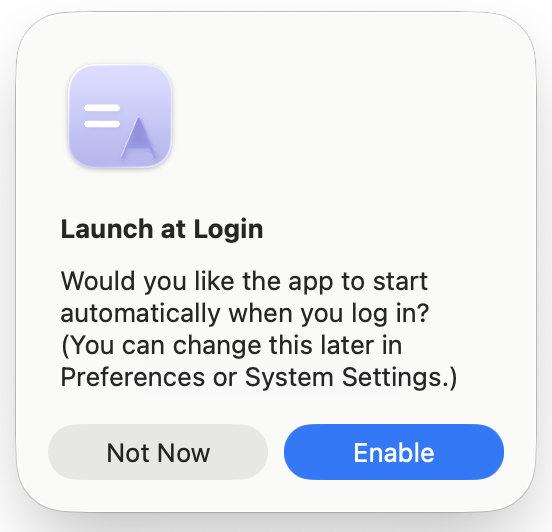
On first launch, a dialog appears asking whether you would like the app to start automatically when you log in. You can change the setting at any time in the "Preferences" window, or in the System Settings ("General" -> "Login Items & Extensions").
Once the app launched, the icon
( )
appears on the menu bar.
)
appears on the menu bar.
Main interface
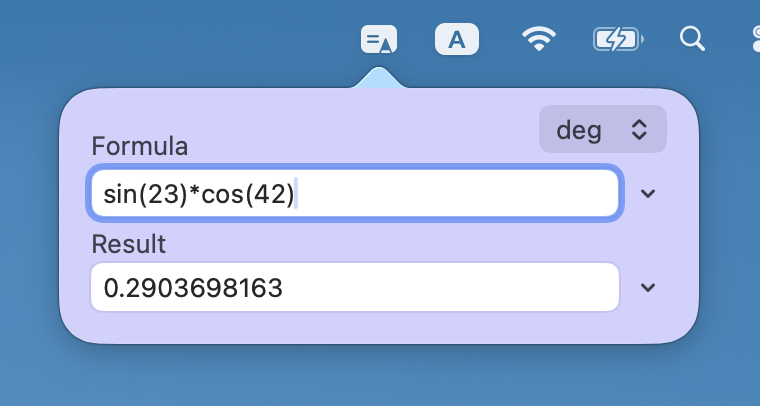
By clicking the menu-bar icon, the main interface pops up.
There are two text boxes, one for formula, the other for result. Once a formula is input into the Formula field and the return key is hit, the result appears in the Result field.
On the right of each text field, there is a drop-down menu for its history (up to 10). When an item in the menu is chosen, it is copied into the corresponding field.
On the top right of the window, there is a drop-down menu for angle unit (degrees or radians), which is used for trigonometric functions.
The popup is closed once anywhere else is clicked.
Menu
You can open the menu by right-clicking (or control-clicking / two-finger clicking on the trackpad, depending on your setting) the menu-bar icon. The menu items are "About Awkalc" (show app's about), "Preferences..." (open the "Preferences" window), and "Quit Awkalc" (quit the app).
Preferences window
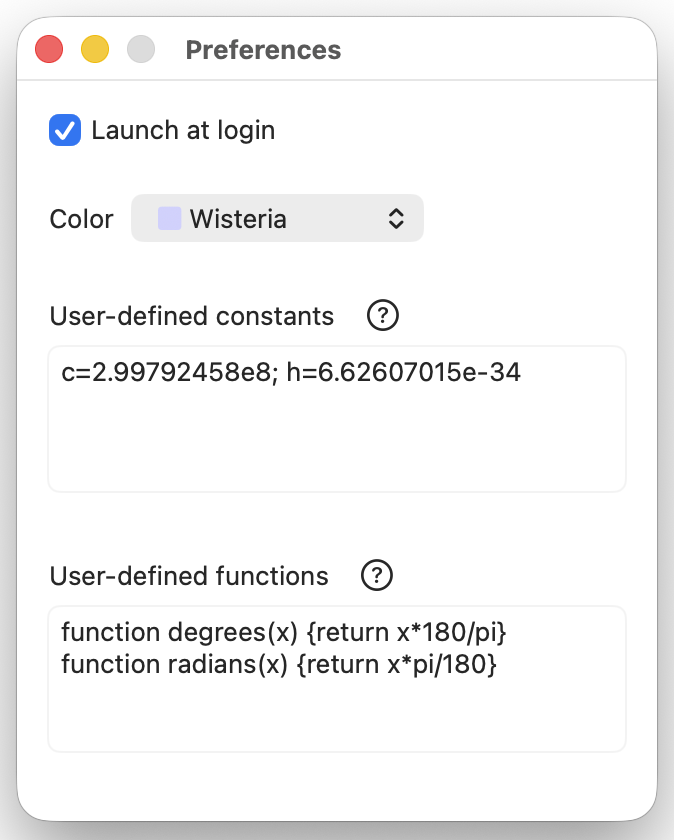
Launch at login
Enabling or disabling automatic launch at login. This setting can also be modified in the System Settings ("General" -> "Login Items & Extensions").
Color
The color of the main interface can be chosen from eight options: Wisteria (default), Dayflower, Mint, Mimosa, Rose, Silver, High contrast, and Translucent. Colors adapt to the system appearance (Light or Dark).
User-defined constants
Constants can be defined, e.g., "c=2.99792458e8". When multiple items are to be defined, they need to be separated by semicolons (spaces may be inserted for clarity).
The changes are saved when the return key is hit, or the text field lost focus. The app does not check grammatical errors, conflict with AWK's reserved words, etc.
User-defined functions
Functions can be defined, e.g., "function cbrt(x) {return x^(1/3)}". When multiple items are to be defined, they can be written consecutively without separators (spaces and/or semicolons may be inserted for clarity).
The changes are saved when the return key is hit, or the text field lost focus. The app does not check grammatical errors, conflict with AWK's reserved words, etc.
Version history
- Version 1.5 [2026-03-24]
- UI tweaks.
- Version 1.4 [2026-03-05]
- Added the following functions: asinh(x), acosh(x), atanh(x); floor(x), ceil(x), round(x); fact(n), perm(n, k), comb(n, k).
- Added "Dayflower" and "Mimosa" colors.
- Version 1.3 [2026-03-03]
- Added color options.
- UI tweaks.
- Version 1.2 [2026-02-23]
- Fixed a bug introduced in version 1.1 with trigonometric functions (sorry for the inconvenience).
- Added support for using "@" as a special variable which stores the result of the last evaluated expression.
- Improved the handling of trigonometric functions in user-defined functions.
- Version 1.1 [2026-02-22]
- Added the ability to set user-defined constants and functions.
- Added sec, csc, and cot trigonometric functions.
- Removed the predefined constants dtor and rtod (conversion factors between degrees and radians). You can set them as user-defined constants (e.g., "dtor=pi/180; rtod=180/pi") or write user-defined functions (e.g., "function degrees(x) {return x*180/pi} function radians(x) {return x*pi/180}") if needed.
- UI tweaks.
- Version 1.0 [2026-02-18]
See also
For Mac users running Mac OS X 10.4 Tiger – macOS 10.14 Mojave, a Dashboard widget providing a similar functionality is available.
Disclaimer
The app and this website are provided "as is". The developer does not make any warranties and is not responsible to any harm or inconvenience the app/website might cause.
Privacy policy
The app does not collect, store, transmit, or share any personal information. The app runs entirely on your Mac and does not communicate with any external servers.
Any settings you choose (such as launch-at-login preferences) are stored locally using macOS system services. No analytics, tracking, or third-party services are used.
If you contact the developer by email (address in the footer), the information in your message is used only to provide support and will not be shared with others.